Linkspreed Logo
    • Advanced Search
  • Guest
    • Login
    • Register
    • Night mode
Cashify Cover Image
User Image
Drag to reposition cover
Cashify Profile Picture
Cashify

@cashifyindia

  • Timeline
  • Server
  • Likes
  • Following
  • Followers
  • Photos
  • Videos
  • Reels
Cashify profile picture Cashify profile picture
Cashify changed his profile cover
2 yrs

image
Like
Comment
Share
Cashify profile picture Cashify profile picture
Cashify changed his profile picture
2 yrs

image
Like
Comment
Share
Cashify profile picture Cashify profile picture
Cashify changed his profile picture
2 yrs

image
Like
Comment
Share
Cashify profile picture Cashify profile picture
Cashify
2 yrs - Translate

How To Sell Your Old Smartphone On Cashify

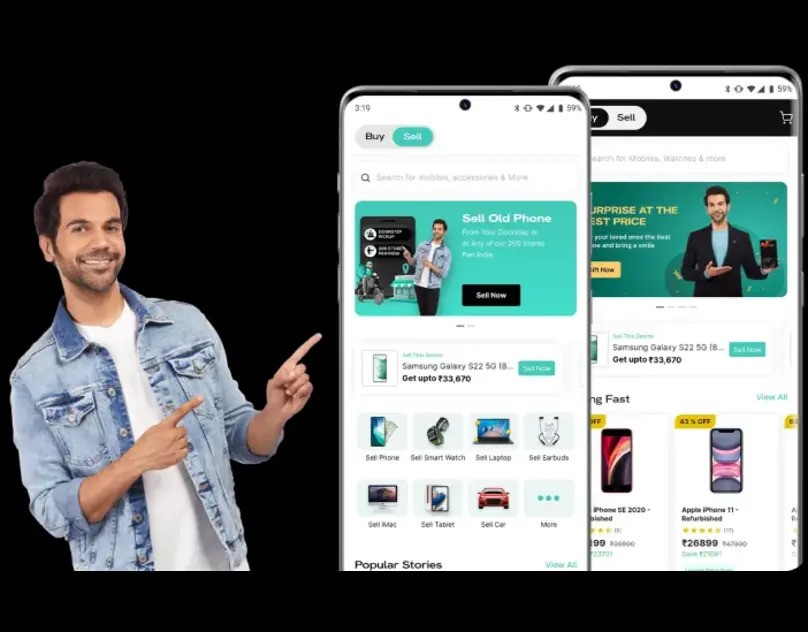
Selling your old smartphone on Cashify is a convenient way to get some cash for your unused device. Cashify is an online platform that allows you to sell your old electronic gadgets, including smartphones. Here are the steps to sell your old smartphone on Cashify:
Visit the Cashify Website or App:
1. You can access Cashify through their website www.cashify.in or by downloading their mobile app from the App Store (iOS) or Google Play Store (Android).
Select Your Device:
2. Once you're on the Cashify platform, select the category of your device, which, in this case, is "Mobile Phones."
Provide Device Details:
3. Next, you'll need to provide specific details about your smartphone, such as the brand, model, and variant. You may also need to specify the device's condition (e.g., working, broken, or damaged).
Get a Price Quote:
4. After providing the necessary details, Cashify will generate a price quote for your old smartphone. This quote is based on the information you provided and the current market value of your device.
Schedule a Pickup:
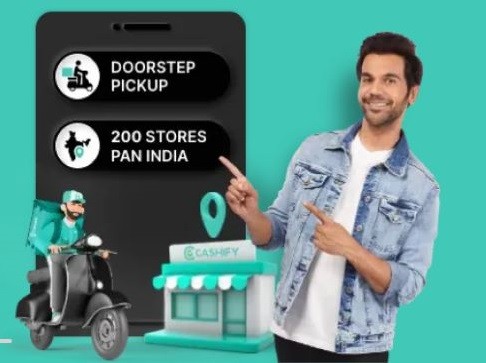
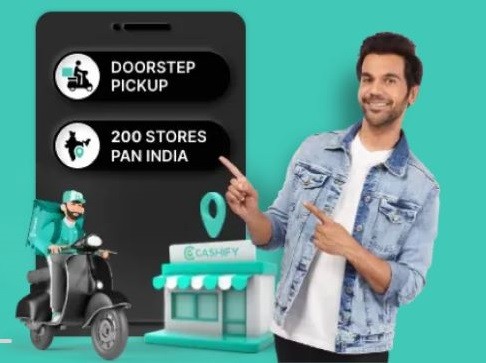
5. If you're satisfied with the price offered, you can schedule a pickup for your old smartphone. Cashify provides a doorstep pickup service in many locations across India. Enter your address and choose a convenient date and time for the pickup.
Hand Over Your Device:
6. On the scheduled date and time, a Cashify representative will come to your doorstep to inspect your smartphone and complete the transaction. Make sure to have the device and all its accessories (if any) ready for inspection.
Receive Payment:
7. After verifying the condition of your smartphone, the Cashify representative will make the payment. You can choose to receive the payment in cash or through various digital payment methods, such as bank transfer or e-wallets.
Complete the Transaction:
8. Sign the necessary documents to confirm the sale of your smartphone, and you're done. You'll receive a receipt or confirmation of the transaction.
Optional: Deregister from Your Account:
9. Before handing over your smartphone, ensure you've removed all personal data and logged out of your accounts, including Google and Apple IDs. Factory reset your device to erase all data.
That's it! You've successfully sold your old smartphone on Cashify and received payment for it. Keep in mind that the price offered for your device may vary depending on its condition and market demand, so it's a good idea to compare quotes from multiple platforms if you want to get the best deal.
image
Like
Comment
Share
 Load more posts
    Info
    • Male
    • posts 4
  • 28-12-90
  • Living in India
  • Located in India
  • https://www.cashify.in
About

Buy & Sell Old Mobile Phones, Smartwatches, Laptops, Tablets And Other Gadgets Online, Get Exclusive Monthly Deal, Instant Quote And Free Doorstep Pickup At Cashify.

    Albums 
    (0)
    Following 
    (1)
    Followers 
    (2)
    Likes 
    (0)
    Server 
    (0)

© 2026 Linkspreed

Language

  • About
  • Directory
  • Blog
  • Contact Us
  • Developers
  • More
    • Privacy Policy
    • Terms of Use
    • Request a Refund
    • Emails
    • Press
    • Status
    • CCPA
    • DSAR
    • Acceptable Use Policy
    • EULA
    • Disclaimer
    • Cookie Policy

Unfriend

Are you sure you want to unfriend?

Report this User

Important!

Are you sure that you want to remove this member from your family?

You have poked Cashifyindia

New member was successfully added to your family list!

Crop your avatar

avatar

Enhance your profile picture

Available balance

0

Images


© 2026 Linkspreed

  • Home
  • About
  • Contact Us
  • Privacy Policy
  • Terms of Use
  • Request a Refund
  • Blog
  • Developers
  • More
    • Emails
    • Press
    • Status
    • CCPA
    • DSAR
    • Acceptable Use Policy
    • EULA
    • Disclaimer
    • Cookie Policy
  • Language

© 2026 Linkspreed

  • Home
  • About
  • Contact Us
  • Privacy Policy
  • Terms of Use
  • Request a Refund
  • Blog
  • Developers
  • More
    • Emails
    • Press
    • Status
    • CCPA
    • DSAR
    • Acceptable Use Policy
    • EULA
    • Disclaimer
    • Cookie Policy
  • Language

Comment reported successfully.

Post was successfully added to your timeline!

You have reached your limit of 1000000000 friends!

File size error: The file exceeds allowed the limit (92 MB) and can not be uploaded.

Your video is being processed, We’ll let you know when it's ready to view.

Unable to upload a file: This file type is not supported.

We have detected some adult content on the image you uploaded, therefore we have declined your upload process.

Share post on a server

Share to a page

Share to user

Your post was submitted, we will review your content soon.

To upload images, videos, and audio files, you have to upgrade to pro member. Upgrade To Pro

Edit Offer

0%

Add tier


Select an image
Delete your tier
Are you sure you want to delete this tier?

Reviews

In order to sell your content and posts, start by creating a few packages. Monetization

Pay By Wallet

Add Package

Delete your address

Are you sure you want to delete this address?

Remove your monetization package

Are you sure you want to delete this package?

Unsubscribe

Are you sure you want to unsubscribe from this user? Keep in mind that you won't be able to view any of their monetized content.

Payment Alert

You are about to purchase the items, do you want to proceed?
Request a Refund

Language

  • Arabic
  • Bengali
  • Chinese
  • Croatian
  • Dutch
  • English
  • French
  • German
  • Hebrew
  • Hindi
  • Indonesian
  • Italian
  • Japanese
  • Persian
  • Portuguese
  • Russian
  • Spanish
  • Turkish
  • Urdu